Stencil Distance
Stencil Distance
The stencil distance generation is designed to give access to a SDF (Signed Distance Field), a Direction to Closest Point, or the Closest Point in screen space of a CustomStencil bit. This allows for things like soft masking, edge aware effects, and outlines to name a few. Advanced effects can be created by combining SDFs from multiple stencil bits for different objects.
This system provides 3 nodes for each of the generated stencil distance masks. You can enable any of the 8 mask generations in config.
The supported nodes are:
- Sample Stencil Distance: Gives a Signed Distance value where positive values are off the bitmask or outside the shape and negative values are on the mask or indside the shape. Then the distance to the closest edge can be calculated by the absolute value of the SDF.
- Sample Stencil Closest Point: Gives the closest point on the edge of the custom stencil bit mask for the selected bit.
- Sample Stencil Closest Direction: Gives the direction in screen space to the closest point on the edge of the custom stencil mask for the selected bit.
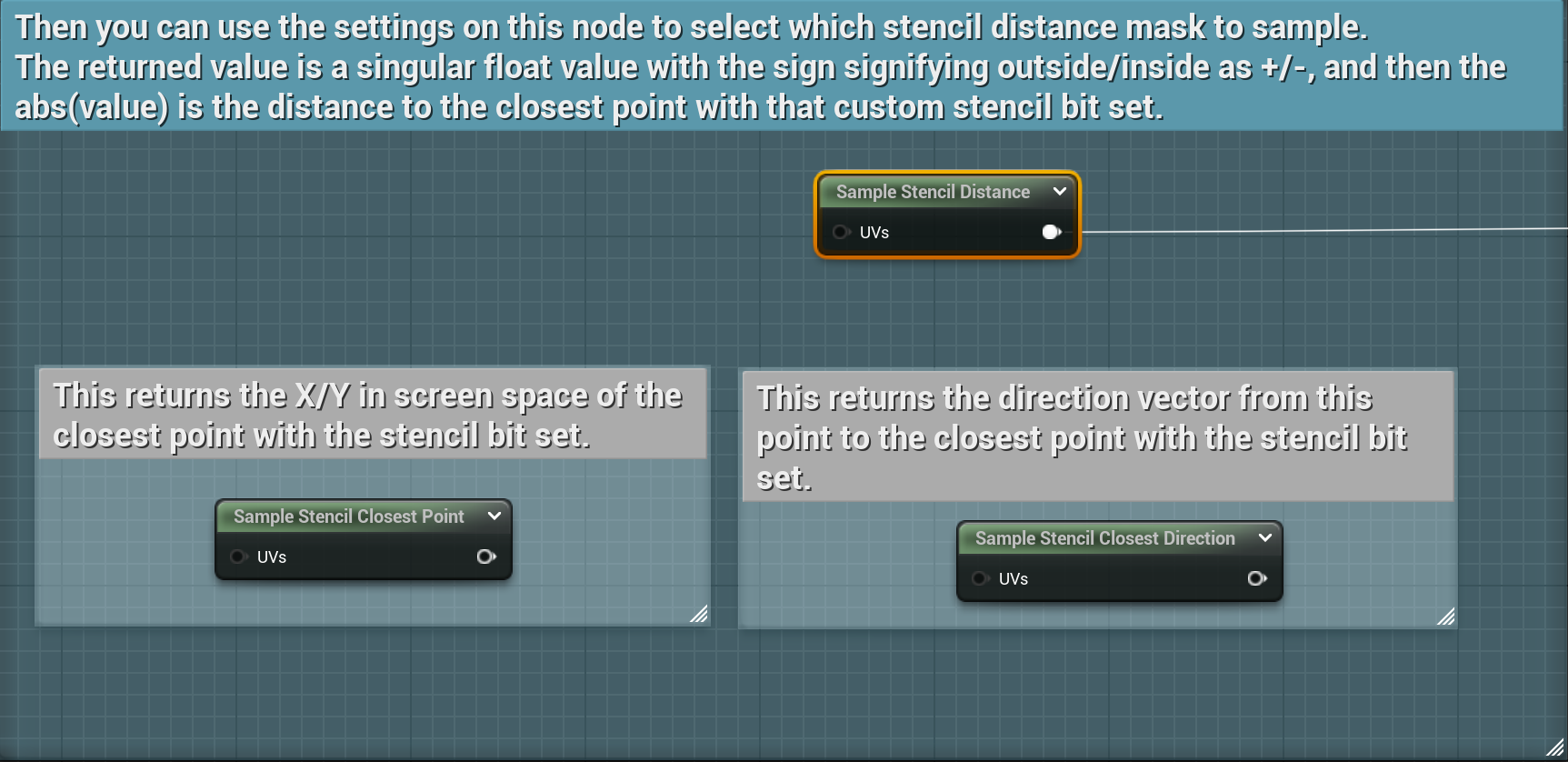
For all of the above nodes, you can select the bit you want to sample in the node settings:
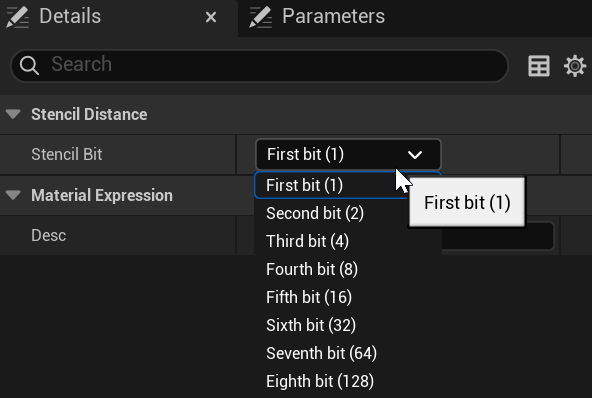
You must make sure that the masks you intend to sample are enabled in the StencilWorks project configuration.